
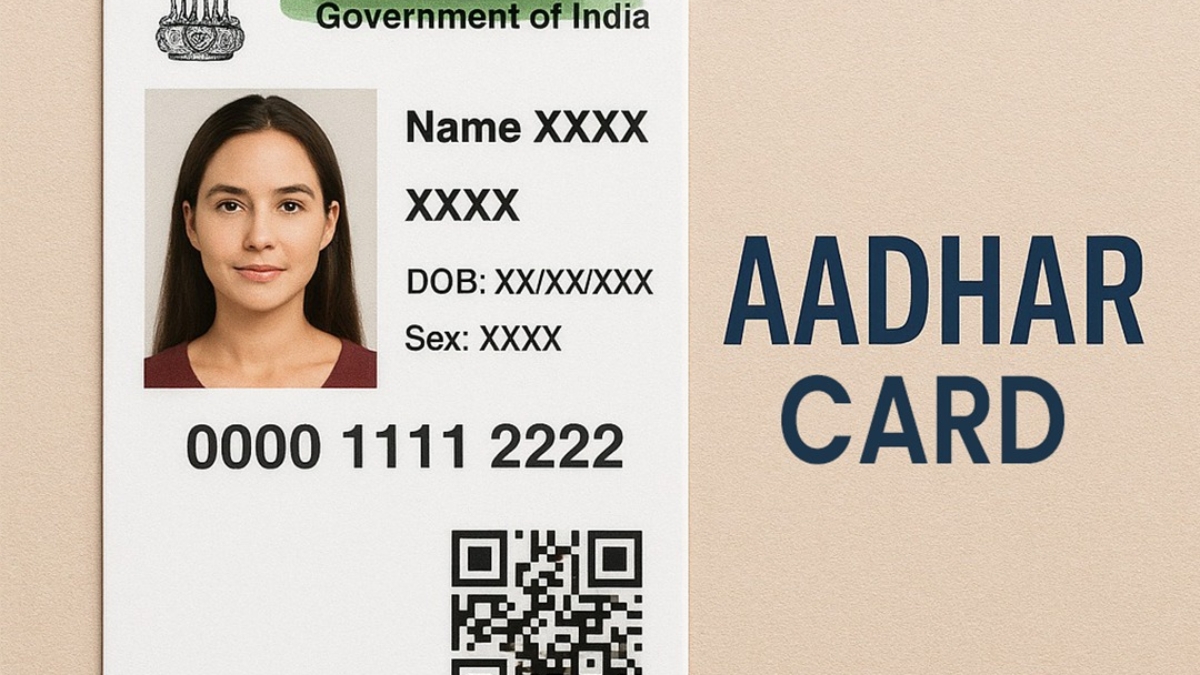
Introduction to Aadhaar Card
Aadhaar has become a universal identity system for Indian residents. This blog explains everything from enrolment to updates in a clear, step-by-step format.
What Is Aadhaar?
Meaning of Aadhaar
Aadhaar is a 12-digit unique identification number issued by UIDAI to every resident of India.
What Information Aadhaar Contains
- Name
- Date of Birth
- Gender
- Address
- Photograph
- Biometrics (Fingerprints & Iris Scan)
Why Aadhaar Is Important
- KYC for banks
- Subsidy benefits
- SIM card activation
- Passport & Driving Licence services
- Government schemes
- Income tax verification
- Digital identity for online services
Who Can Apply for Aadhaar?
Eligibility
Aadhaar is available for:
- All Indian residents
- NRIs with Indian passport
- Children and infants
Aadhaar for Children (Baal Aadhaar)
- Blue-coloured Aadhaar
- No biometrics below 5 years
- Mandatory updates at 5 and 15 years
Documents Required for Aadhaar Card
Proof of Identity (POI)
Commonly Accepted POI Documents
- PAN Card
- Passport
- Voter ID
- Driving Licence
- Ration Card with Photo
- Government Photo ID
Proof of Address (POA)
Accepted POA Documents
- Passport
- Bank Passbook
- Electricity Bill
- Water Bill
- Telephone Bill
- Rent Agreement
- Ration Card
Proof of Date of Birth (DOB)
Accepted DOB Documents
- Birth Certificate
- Passport
- SSLC Certificate
- PAN (if DOB printed)
Documents for Children
Required Documents
- Birth Certificate
- Parent’s Aadhaar
- School ID (for older children)
How to Apply for Aadhaar (Enrolment Process)
Step 1 — Locate an Aadhaar Enrolment Centre
Aadhaar centres are available in banks, post offices, and government offices.
Step 2 — Fill the Aadhaar Enrolment Form
Information Required
- Name
- Date of Birth
- Address
- Gender
- Mobile number
Step 3 — Submit Your Documents
Ensure documents are valid, clear, and match the details filled in the form.
Step 4 — Biometric Process
Biometric Details Collected
- Fingerprints
- Iris Scan
- Photograph
Biometrics for Children
- Only photo for children under 5 years
Step 5 — Review & Confirm Your Details
Ensure the spelling and details match exactly with your documents.
Step 6 — Collect the Acknowledgment Slip
Contains Important Information:
- Enrolment ID (EID)
- Time stamp
- Tracking number
Step 7 — Aadhaar Generation Timeline
UIDAI usually processes Aadhaar within:
- 3–7 days (average)
- Up to 90 days (rare cases)
Aadhaar Update Process (Online & Offline)
Types of Aadhaar Updates
1. Demographic Updates
- Name
- Address
- Date of Birth
- Gender
- Mobile Number
- Email ID
2. Biometric Updates
- Fingerprints
- Iris Scan
- Photograph
How to Update Aadhaar Online
Fields You Can Update Online
- Address (only when mobile number is linked)
Online Address Update Steps
Step-by-Step Process
- Visit UIDAI website
- Login using Aadhaar & OTP
- Upload address proof
- Submit and get URN
- Track the update status
How to Update Aadhaar at Enrolment Centre
Fields Updated at Centre
- Name
- Mobile Number
- Date of Birth
- Gender
- Biometrics
- Photograph
Centre Update Steps
Step-by-step
- Visit Aadhaar centre
- Fill update form
- Submit supporting documents
- Give biometrics
- Collect URN to track update
Aadhaar Fees (UIDAI Official Charges)
Charges as per UIDAI
- ₹50 for demographic update
- ₹100 for biometric update
- Aadhaar enrolment is free
How to Check Aadhaar Status
Using EID or Aadhaar Number
Where to Check:
- UIDAI website → “Check Aadhaar Status”
Reasons Aadhaar Applications Get Rejected
Common Issues
Rejection Reasons Include:
- Blurred or invalid documents
- Spelling mistakes in form
- Mismatch in name or address
- Wrong document type
- Poor fingerprint quality
- Multiple update attempts quickly
Tips for Successful Aadhaar Enrolment & Update
Important Tips
To Avoid Delays:
- Use clear documents
- Match name & address exactly
- Provide active mobile number
- Verify details before submission
- Keep the acknowledgment slip
Aadhaar for Children (Detailed Guide)
Child Aadhaar Features
- Blue color card
- No biometrics below 5 years
- Mandatory biometric update at 5 & 15 years
Documents Needed
- Birth Certificate
- Parent’s Aadhaar
Frequently Asked Questions (FAQ)
Popular Questions
1. Is Aadhaar enrolment free?
Yes, enrolment is completely free.
2. How long does Aadhaar take?
Usually 3–7 days.
3. Can Aadhaar be updated multiple times?
Yes, with limitations on specific fields.
4. Is mobile number linking necessary?
Yes, for OTP and online services.
5. Can NRIs apply for Aadhaar?
Yes, NRIs with valid Indian passports can enrol.
Conclusion — Aadhaar Is Essential for Every Resident
Aadhaar simplifies identity verification and access to government services. By following proper steps, applicants can easily enrol or update their Aadhaar without mistakes or delays. For smooth & fast Aadhaar services, ensure your documents and information are correct.